 Catapult
Make your iPhone's Home Screen work like Android's.
Add the repo, then search Catapult.
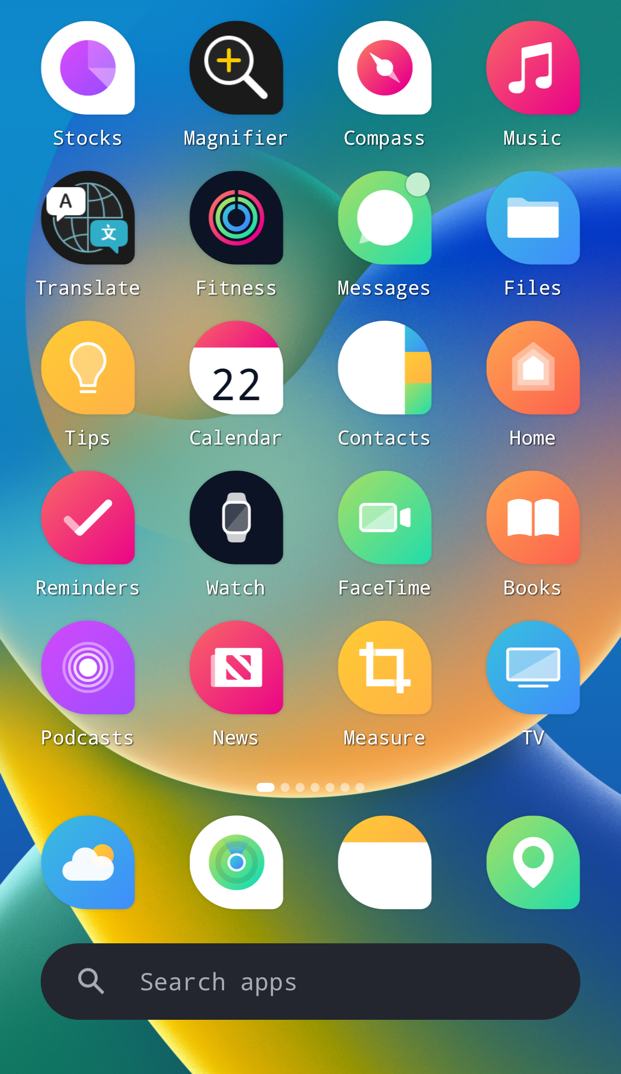
Catapult swaps the iOS Home Screen for Trebuchet, the one from LineageOS. Everything else stays iOS.
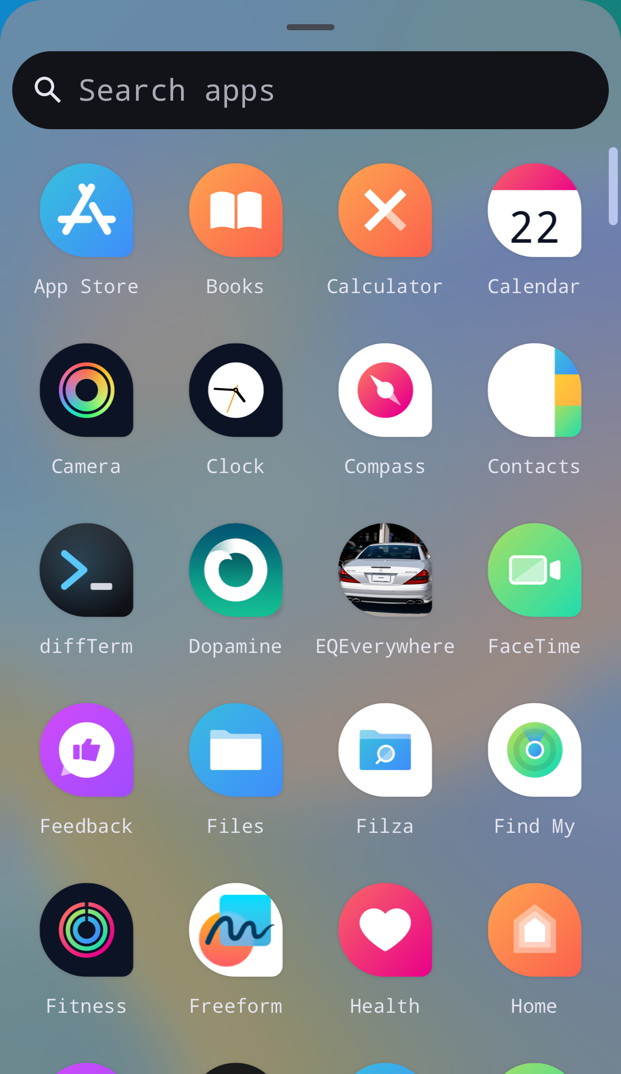
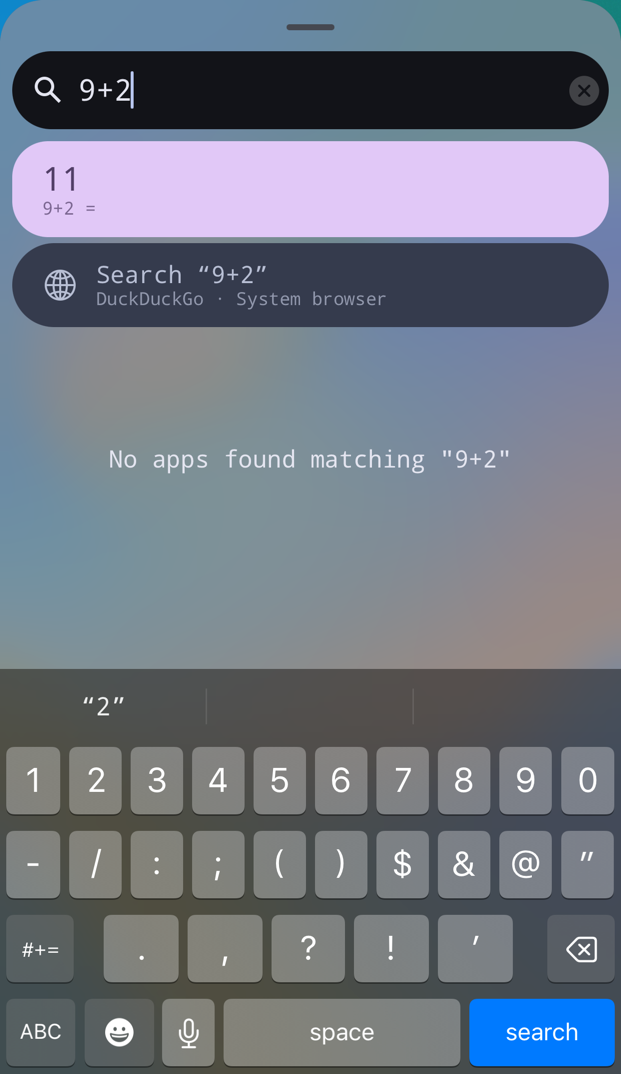
- An app drawer. Swipe up for every app in one A to Z list. Its search box also does quick sums, converts units and searches the web.
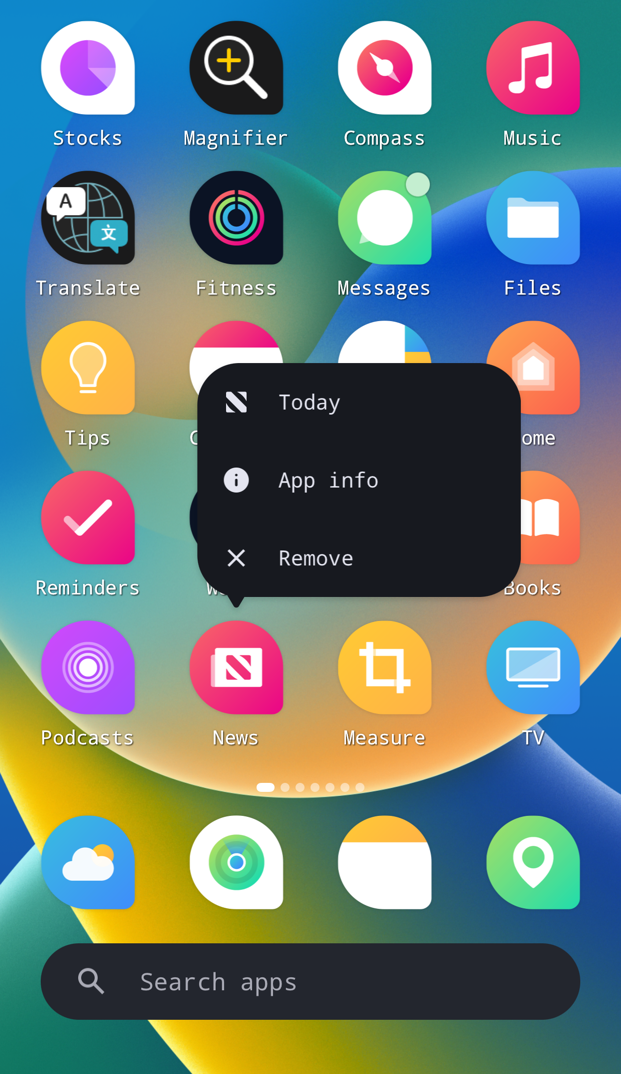
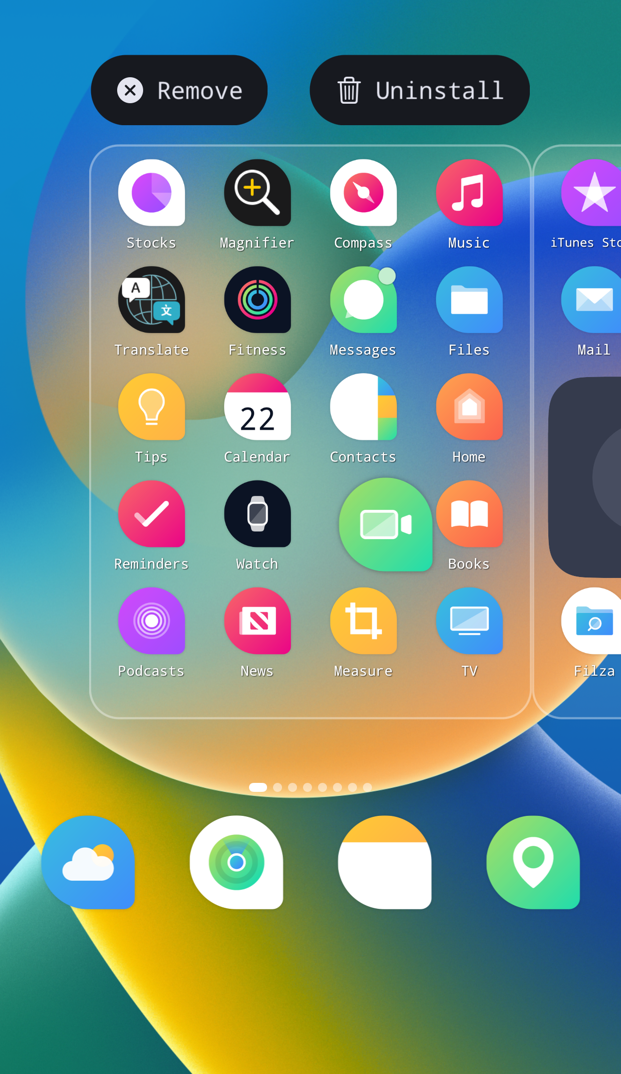
- A tidier Home Screen. Folders open on one page, and widgets show the time, weather, your music and your batteries (AirPods too).
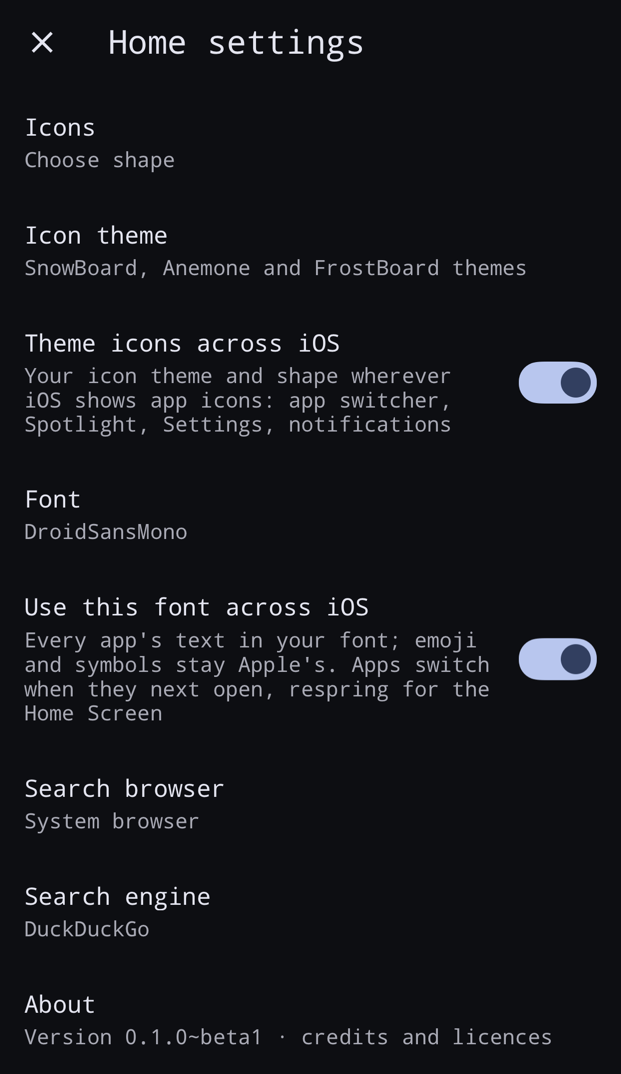
- Your look. Icon shapes, icon themes and your own font, on the Home Screen or across all of iOS. Emoji stay Apple's.
- In your language. Catapult follows your iPhone's language.
- It still feels like an iPhone. Apps open and close with Apple's own animation, straight from their icon.
- Version
- 0.1.0~beta3
- Jailbreak
- Rootless, Rootful
How it works
Catapult replaces the iOS Home Screen with Trebuchet, the launcher from LineageOS, ported to iOS by MakrSas and extended in Catapult. The layout follows the same rules as on Android.
- Replaced: the Home Screen pages, folders and dock, plus Today View, the Spotlight pull-down and the App Library. The app drawer and its search do their jobs.
- Untouched: Control Center, notifications, the app switcher and the apps themselves. Apps still open and close with Apple's own animation, from their icon.
- Settings live on the Home Screen: long-press an empty spot, then Home settings. Icon shapes and grid size are under Wallpaper & style.
Using it
1. Swipe up for the app drawer: every app A to Z, with a letter bar to jump. 2. Long-press an empty spot for Wallpaper & style (icon shapes, grid size), Widgets and Home settings. 3. Long-press an app for its shortcuts, App info and Remove. Drag it onto another app to make a folder. 4. Type in the search bar: apps, sums like 9+2, conversions like 5 km in mi, or a web search.
See it in action and everything it can do →
Safety and performance
- It switches itself off if it breaks. If the Home Screen crashes right after starting 5 times in a row, Catapult turns itself off and the normal Home Screen comes back. A normal respring doesn't count. You can also uninstall it from Sileo.
- Smooth on older iPhones. Scrolling, page swipes and app launches are tuned to stay smooth, even on an iPhone 7.
- Off until you want it. The icon and font options for all of iOS only load when you switch them on.
What's New in 0.1.0~beta3
- Rootful jailbreaks: Catapult now has a rootful build for iOS 14 and 15 too. Your package manager picks the right one. On iOS 14, theming icons across iOS isn't available (it needs iOS 15).
- Fixed: on iOS 15.0 and 15.1, iPhone XS and newer, Catapult could crash the Home Screen when it loaded.
- The app drawer's background now takes the same tint as Quick Settings, matching LineageOS. Thanks to MakrSas for the idea.
- The rootful build hasn't been tried on a phone yet. If something's off, tell me.
Works on
- Rootless jailbreaks: iOS 15 to 18. Rootful jailbreaks: iOS 14 and 15. Your package manager picks the right one.
- Tested on iOS 15.8.6, 16.2, 16.7, 17.5.1 and 18.6.2, on an iPhone 7, 8 Plus, SE 2nd gen, 11 Pro and 11 Pro Max.
- Not tried yet: iPads, landscape, the rootful build, and iOS 15 on iPhone XS and newer.
- Safe to try: if something goes badly wrong, Catapult switches itself off and your normal Home Screen comes back. Tell me what happened.
Good to know
- iOS widgets: they can't go on this Home Screen, so Catapult has its own.
- Portrait only for now.
- Your font across iOS: apps pick it up the next time they open. If the font comes with a Bold file, put it in the same folder and bold text uses it.
- FrostBoard, SnowBoard or Anemone? Keep using them. Catapult leaves theming the rest of iOS to them.
- Material You (by MakrSas) adds colours from your wallpaper.
- Arabic and Hebrew: translated, but the layout doesn't flip right to left yet.
Credits
Built on MakrSas's Trebuchet port (Apache 2.0). Thank you, MakrSas.
Trebuchet and Launcher3 by LineageOS and the Android Open Source Project (Apache 2.0). Roboto Flex by Google (OFL). Full notices in Settings > About and on GitHub.
Catapult by Jond_ie.
Changelog2 earlier versions
Beta 2
- Catapult speaks your language. It follows your iPhone's language: LineageOS's own text in 96 languages, and everything Catapult added in 27, including Spanish, Portuguese, French, German, Russian, Arabic, Hindi, Japanese, Korean and Chinese.
- Fixed: copying a search answer like 3,5 (decimal comma) pasted 35.
- Weather follows your iPhone's °C / °F setting.
- Tested in Simplified Chinese on an iPhone 8 Plus. If a line reads wrong in your language, tell me.
Beta 1
- First public beta.
- Safe to try: if something goes badly wrong, Catapult switches itself off and your normal Home Screen comes back. A normal respring doesn't count.
- Had MakrSas's Trebuchet? Catapult replaces it and keeps your layout.