 Crest
A music player for your own songs that plays them exactly as good as the files are.
Add the repo, then search Crest.
- Plays almost anything: FLAC, ALAC, WAV, MP3, AAC, Opus, DSD, CUE sheets and more.
- Bit-Perfect mode: nothing changes the sound between the file and your headphones or DAC.
- Gapless, crossfade and Automix, which blends songs on the beat.
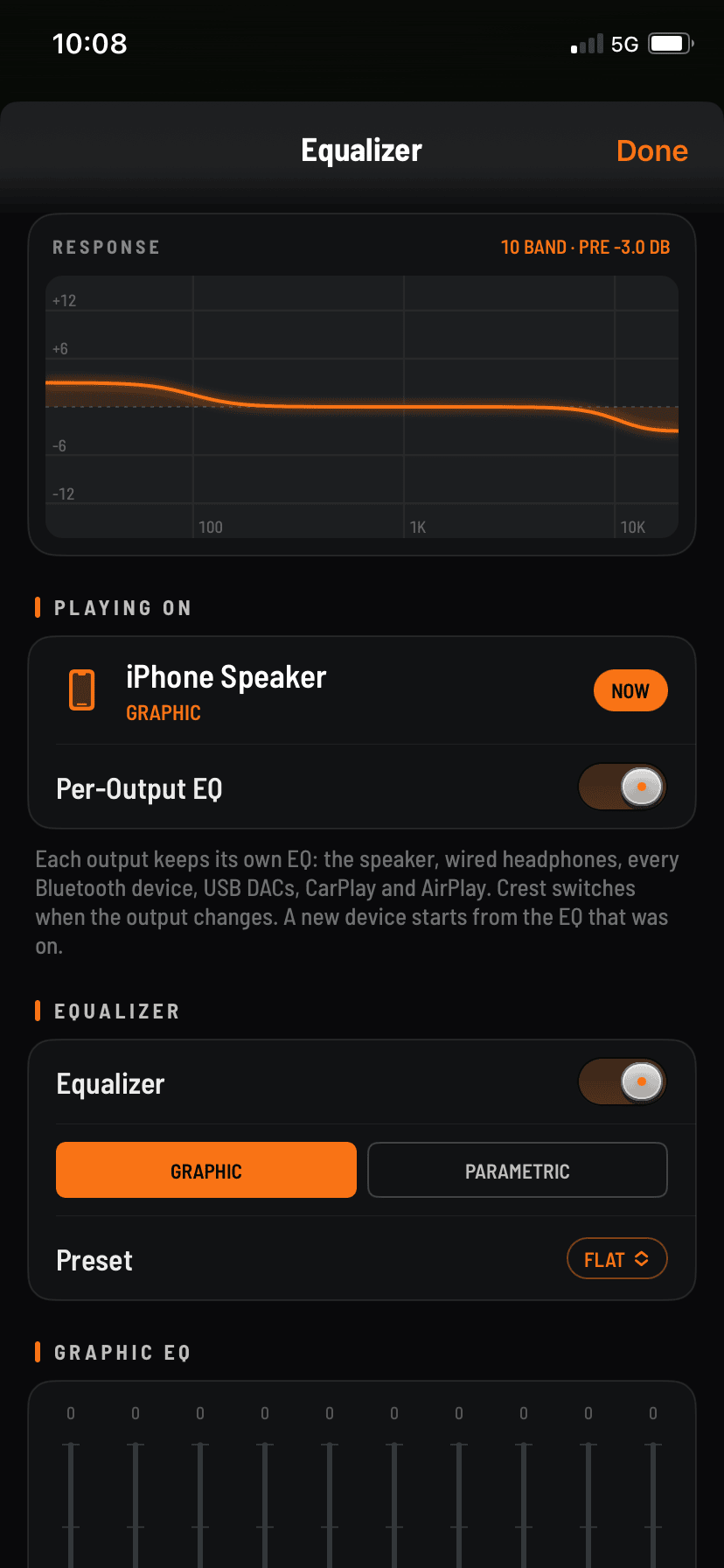
- EQ for each output: your speaker, AirPods, DAC and car each keep their own EQ, and Crest switches for you. AutoEQ import included.
- Lyrics, smart playlists, scrobbling (Last.fm, ListenBrainz), CarPlay and a widget.
- Version
- 1.1.3
- Jailbreak
- Rootless, RootHide
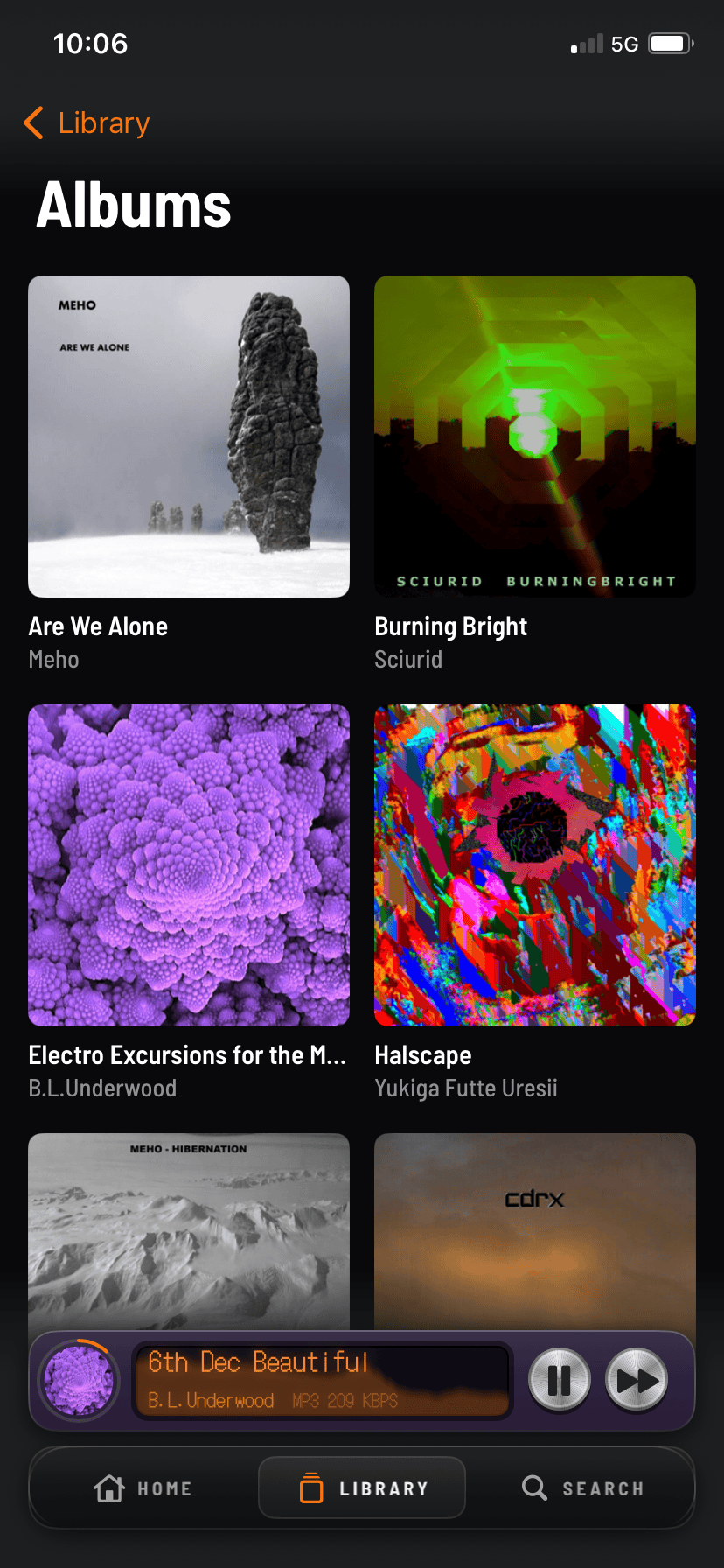
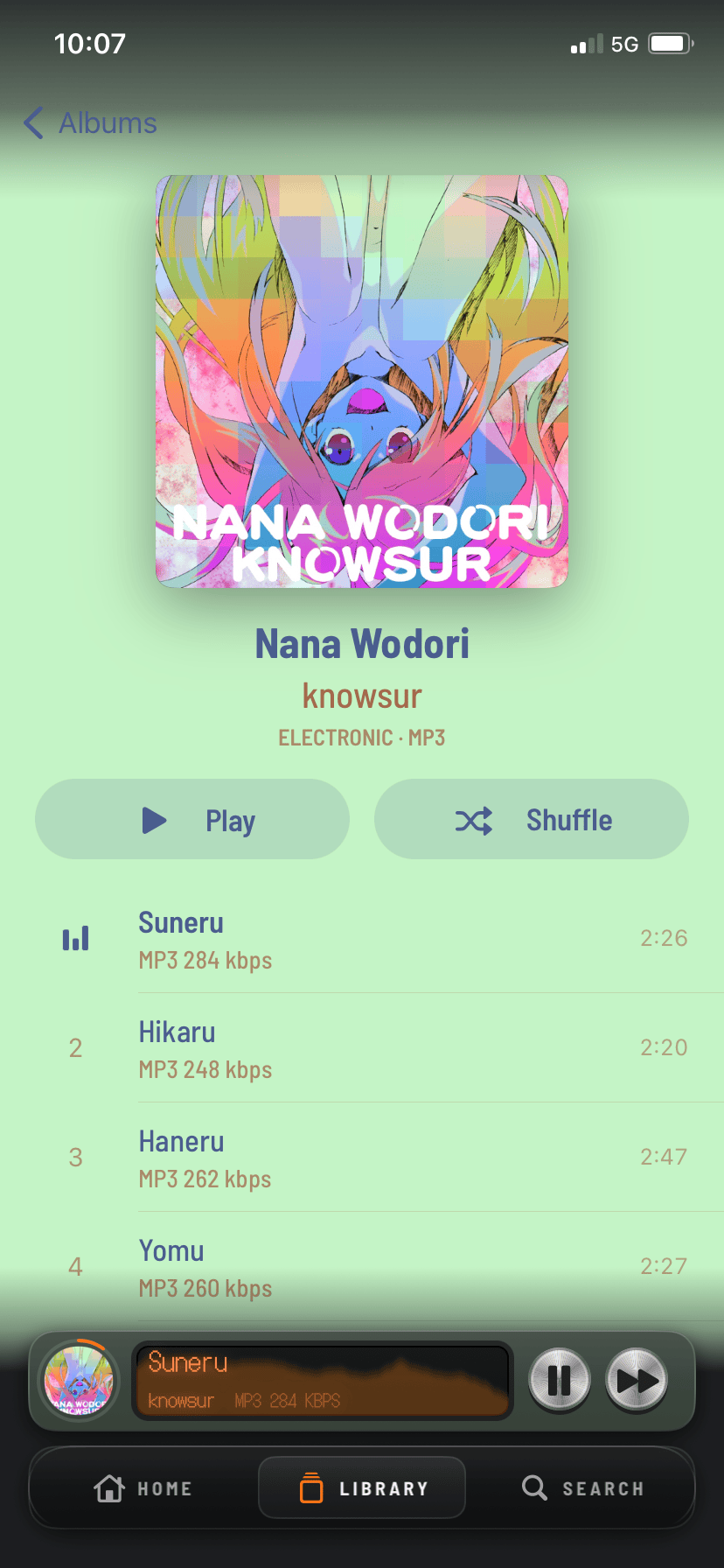
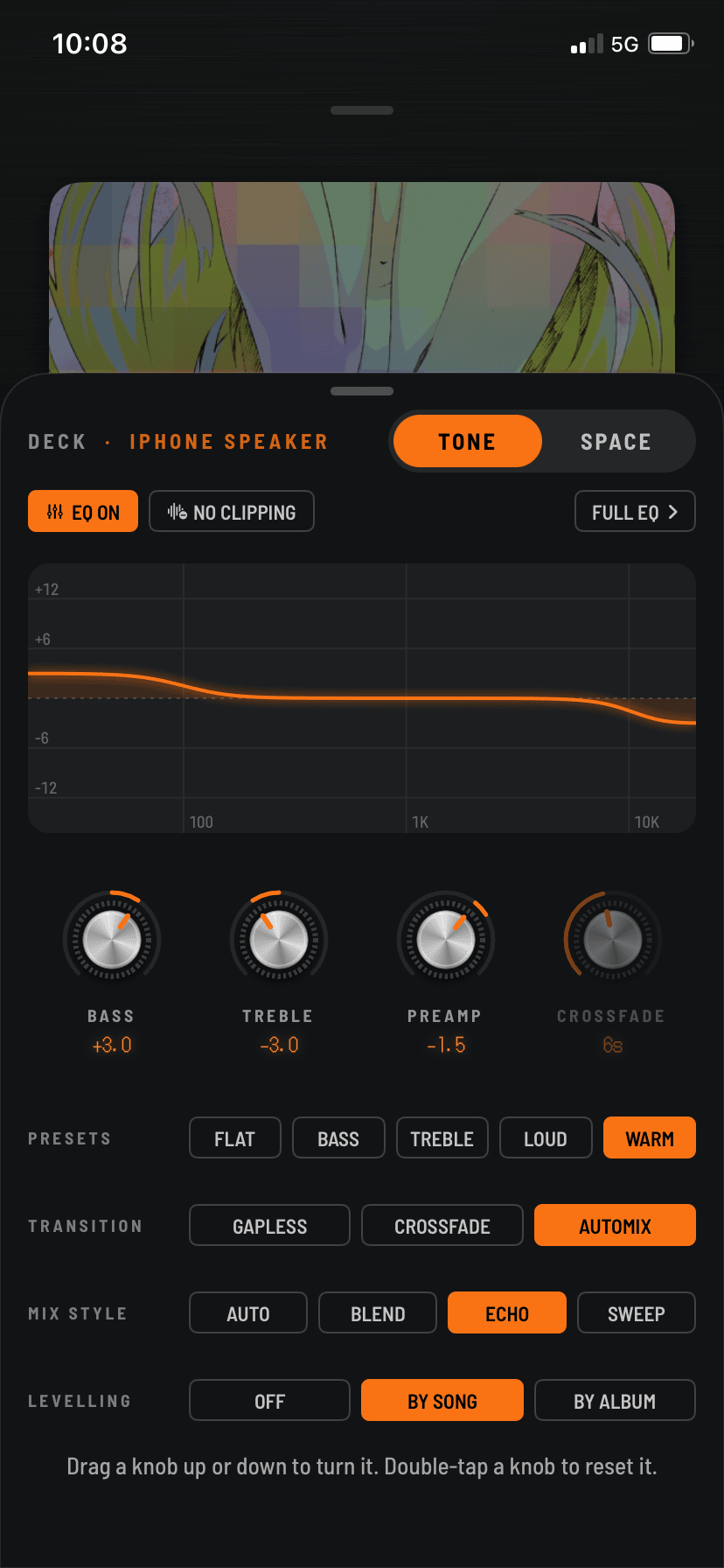
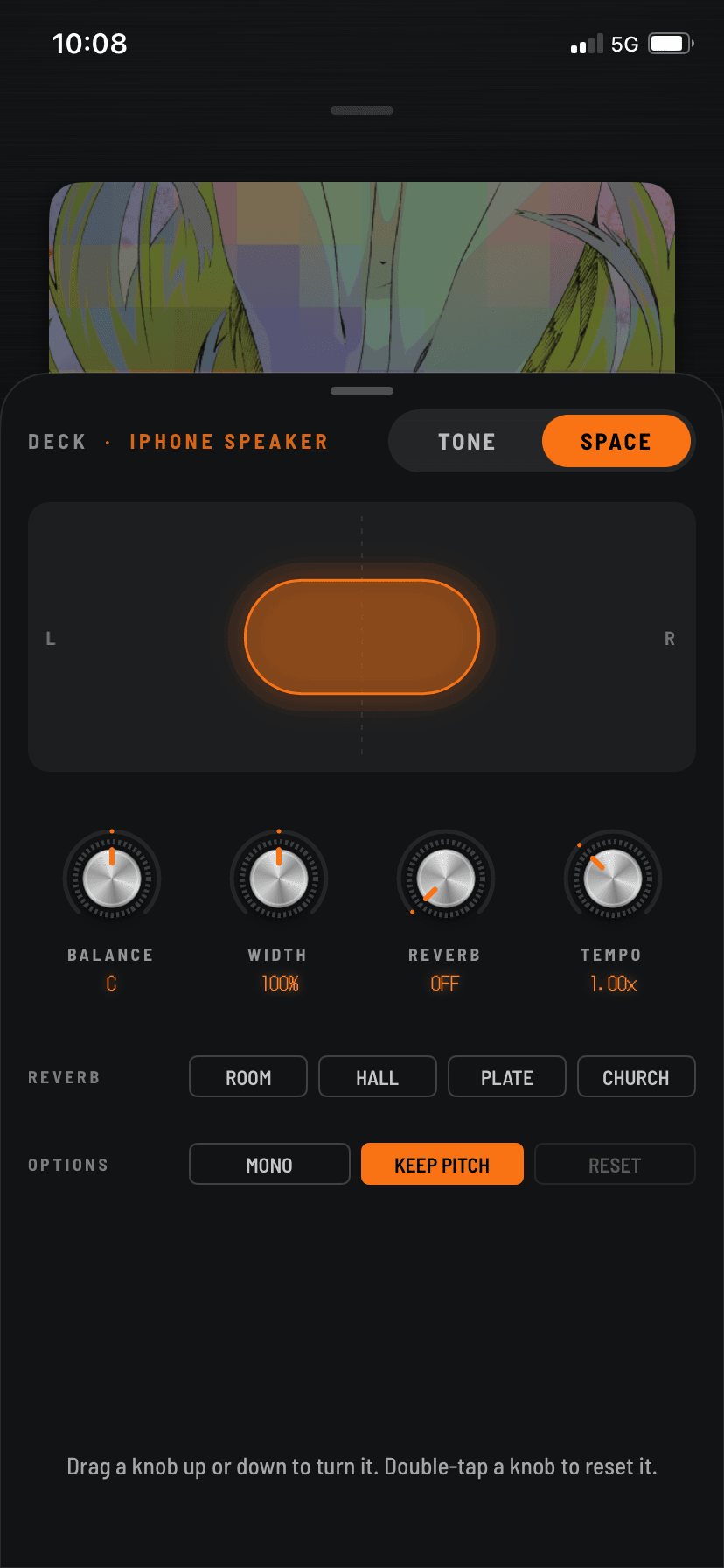

How it works
- Every format through a decoder made for it: FLAC, ALAC, WAV, AIFF, MP3, AAC, Opus, Vorbis, APE, WavPack, Musepack, TAK, TTA, WMA, DSD (DSF and DFF) and CUE sheets.
- Each song at its own sample rate. When the next song has a different rate (say 44.1 kHz, then 96 kHz), Crest switches the output rate instead of converting the song, with a very short pause only where the rates differ. Albums at one rate stay gapless.
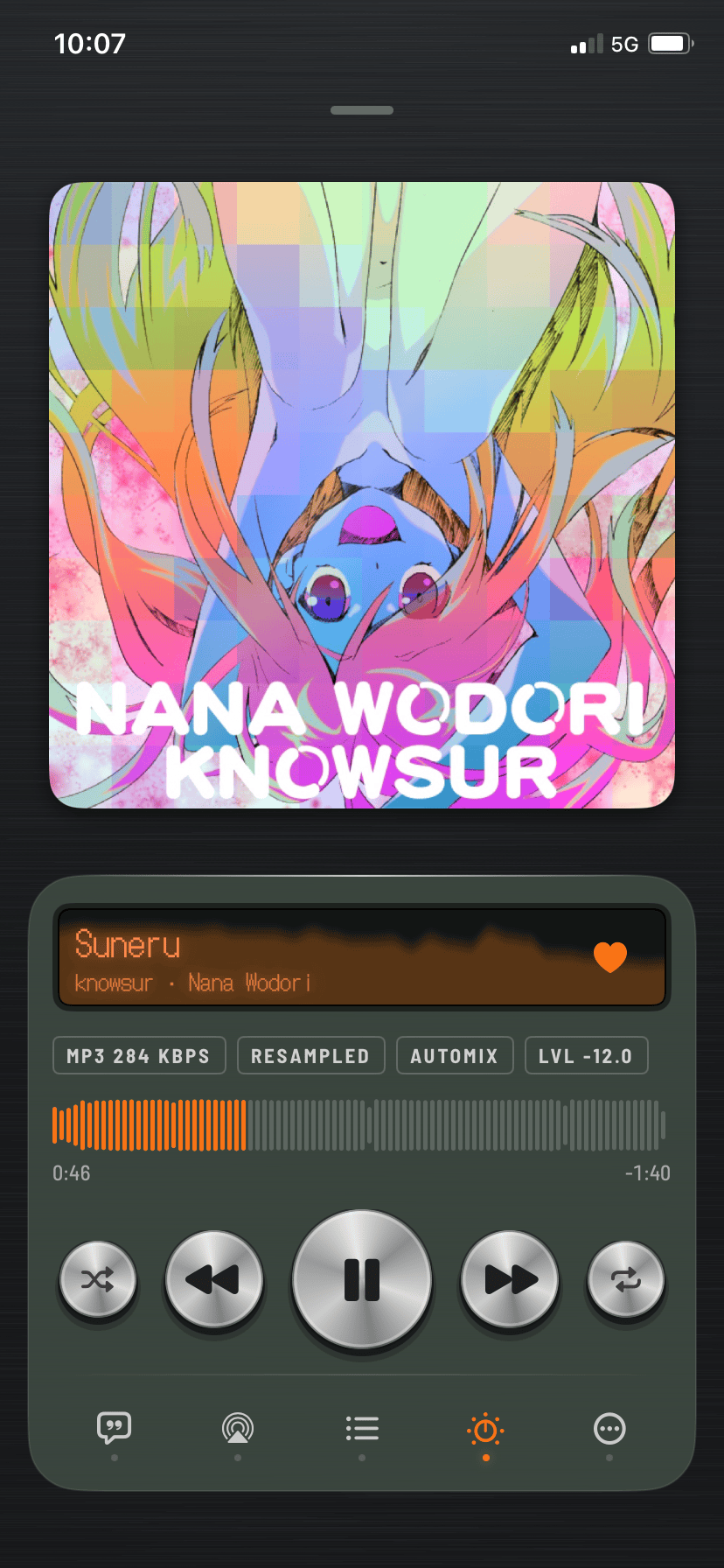
- It tells you when it can't. If your output can't play a file's rate, Crest resamples and shows a RESAMPLED tag. In Bit-Perfect mode it shows BIT-PERFECT, or why the song isn't.
- Gapless, crossfade and Automix. Automix blends songs on the beat; while two songs blend, both play at one rate.
- Loudness: ReplayGain (track or album) and EBU R128.
- EQ for each output. Your speaker, AirPods, DAC and car each keep their own EQ, and Crest switches when the output changes. You can import AutoEQ curves.
- Your Music app songs (jailbreak and TrollStore builds) are read where they already are. The first scan opens each song once to read its format and loudness; on a big library that takes a few minutes, so keep Crest open until it finishes.
Privacy
- Offline by default. No analytics, no ads, no account. Crest only goes online for scrobbling or online lyrics, and both stay off until you turn them on.
- Wi-Fi Transfer is locked. It only runs while its screen is open, and your computer needs the PIN shown on the phone.
- Your files stay as they are. Songs from the Music app are read in place. Nothing is copied, converted or uploaded.
Which build to get
- Jailbroken (Rootless or RootHide): this repo. Plays your Music app songs, has CarPlay, and adds music with Wi-Fi Transfer, Files or Filza.
- TrollStore: the .tipa from GitHub. Music app songs and CarPlay; adds music with Wi-Fi Transfer.
- Not jailbroken: the sideload .ipa from GitHub. No Music app songs or CarPlay (the sandbox blocks them); adds music with Wi-Fi Transfer.
What's New in 1.1.3
- Fixed: Crest closed when a song ended with the phone locked, if the next song's file couldn't be opened at that moment. On Repeat One the song now plays again, and any other next song is tried again every few seconds while the current one plays. Thanks to EpicFrisian for the crash logs.
Works on
- iOS 15 to 27. Rootless and RootHide jailbreaks.
- 1.1.3 was tested on an iPhone XR (iOS 16.0.3); the fix isn't tested on a locked iOS 15 phone yet. 1.1.2 was tested on the same XR, and Settings at a 4-inch iPhone's width (not on a real one yet). 1.1.0 also launched in an iOS 18.6.2 virtual iPhone; earlier versions were tested on an iPhone 7 (iOS 15.8.6), an iPhone 11 Pro Max (iOS 16.2), an iPhone SE 2nd gen (iOS 17.5.1) and an iPhone 11 Pro (iOS 18).
- No jailbreak? The TrollStore and sideload versions are on GitHub. They add music with Wi-Fi Transfer only, for now.
- If it ever sends your phone to Safe Mode, open Sileo (it still works there) and uninstall it. Then tell me.
Good to know
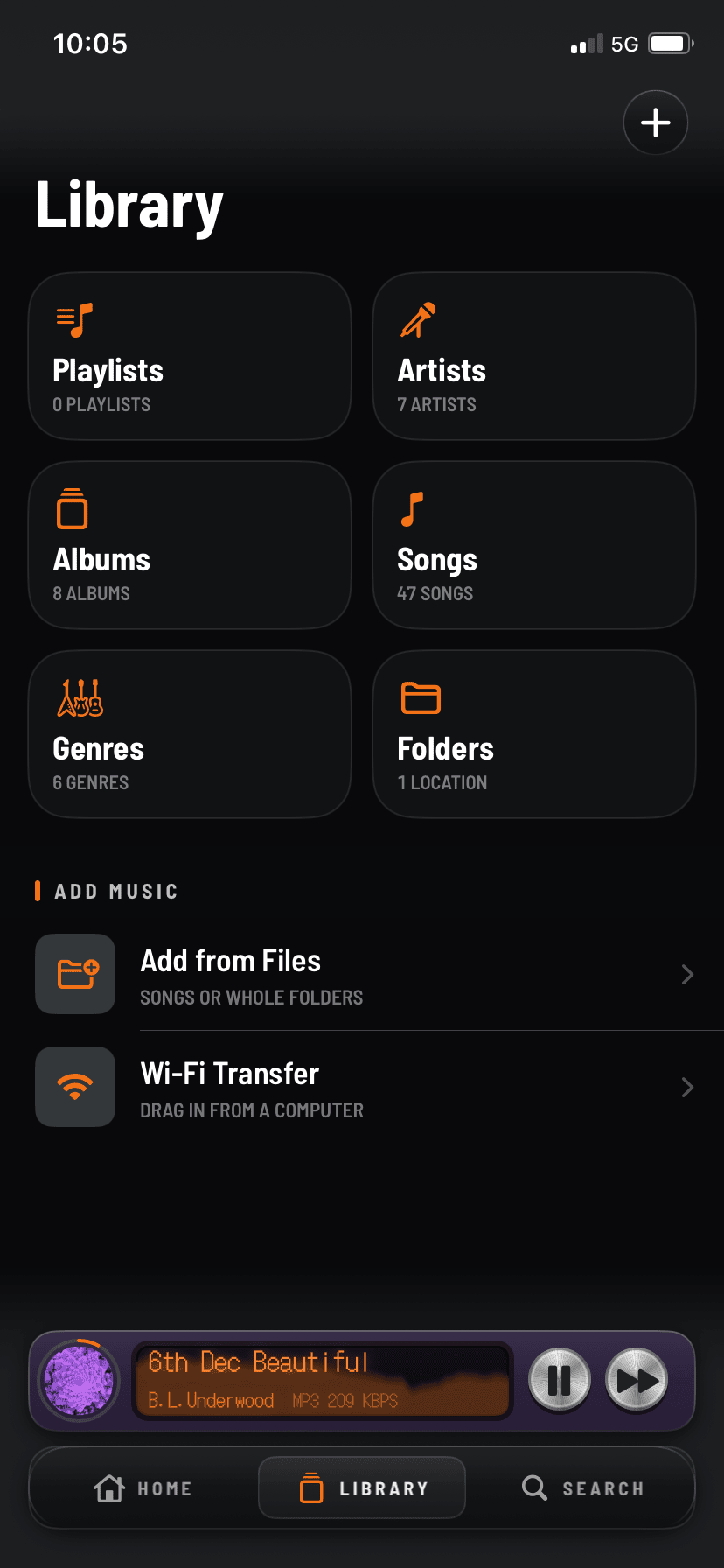
- Add music with Library → Add from Files, with Wi-Fi Transfer from a computer on the same network, or by putting it in On My iPhone → Crest Music in the Files app.
- Apple Music subscription downloads can't play: Apple locks them to the Music app. Songs synced from a computer, bought on iTunes or uploaded to iCloud Music Library work.
- CarPlay is built in but hasn't been tried in a real car yet. If you try it, tell me how it goes.
- A song won't play or sounds wrong? Open an issue with your build (.deb, .tipa or .ipa), iOS version and the file's format (Crest shows it under Get Info).
Credits
Original work by Jond_ie. Uses FFmpeg (LGPL 2.1), TagLib (MPL 1.1), Opus and Ogg (BSD), utfcpp (Boost) and Signalsmith Stretch (MIT). The full licences are in Settings → Open-Source Licenses, and the FFmpeg build script and the TagLib change are on GitHub.
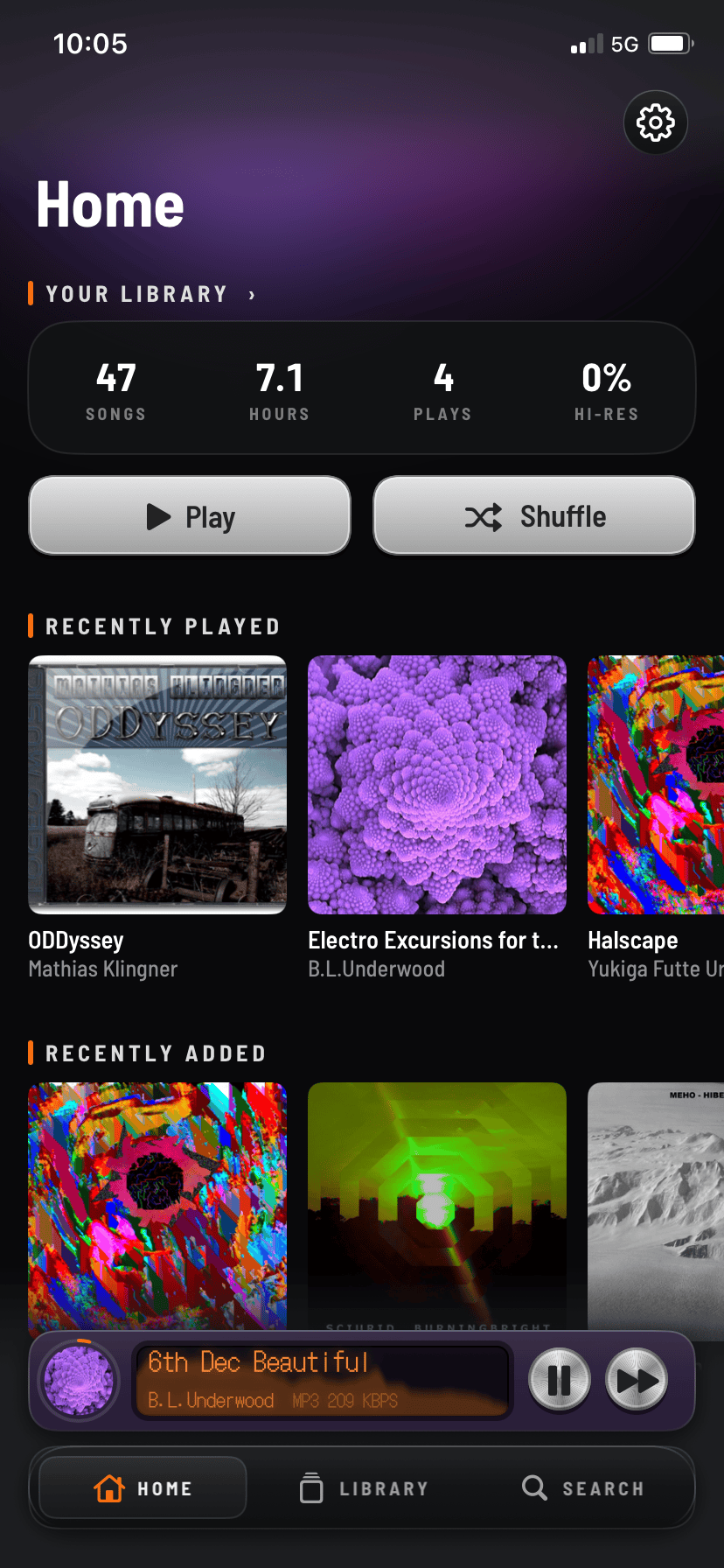
Music in the screenshots, all CC BY 3.0 from the Internet Archive: knowsur, Nana Wodori; Meho, Are We Alone and Hibernation; Sciurid, Burning Bright; B.L.Underwood, Electro Excursions for the Modern Age; Yukiga Futte Uresii, Halscape; Mathias Klingner, ODDyssey; cdrx, Moody Dancefloor.
Changelog8 earlier versions
1.1.3
- Fixed: Crest closed when a song ended with the phone locked, if the next song's file couldn't be opened at that moment. On Repeat One the song now plays again, and any other next song is tried again every few seconds while the current one plays. Thanks to EpicFrisian for the crash logs.
1.1.2
- Artist pages: Play, Shuffle and Shuffle Albums. Shuffle Albums plays the artist's albums in a random order, each one start to finish.
- Featured artists: a song tagged "Artist A feat. Artist B" sits with the rest of Artist A's songs, and shows under Appears On on Artist B's page.
- Tap the artist on an album page to open their page.
- Album columns: the grid button on Albums and artist pages picks Automatic or 2 to 6 columns.
- Back to the playing song: swipe Now Playing down and the song list behind it scrolls to the playing song.
- Fixed: levelling sometimes skipped the next song, and Settings was cut off on 4-inch iPhones. Tempo is greyed out while Bit-Perfect is on, since Bit-Perfect plays songs untouched.
1.1.1
- Crest Music folder: music in On My iPhone → Crest Music in the Files app plays in Crest, and Add from Files and Wi-Fi Transfer copy into it. Open Crest's Folder under Library → Add Music takes you there.
- Fixed: songs put in the old "Crest" folder in Files never showed up; the jailbroken app isn't allowed to read that folder. Move them into Crest Music.
- Small screens: on the iPhone SE (1st gen) and other 4-inch iPhones, the cover on Now Playing is bigger and the keys are smaller.
- A new library shows Add from Files and Wi-Fi Transfer buttons on Home.
1.1.0
- Car Mode (Minimal player): the cover edge to edge, then only the song and the scrubber. Tap with two fingers to play or pause; double-tap with two fingers to go in or out.
- Cover art download: missing covers are looked up on the iTunes Store and the Cover Art Archive. Get Info → Change Artwork → Find Online lets you pick one.
- Resume and bookmarks: long files (20 minutes or more by default; Settings → Resume) start again where you left them. ⋯ → Bookmarks saves points in any song.
- Full-screen visualizer: six presets that react to bass, mids, treble and beats. ⋯ → Full-Screen Visualizer, or double-tap the cover.
- Skins:
.crestskinfiles change Now Playing, the mini player and the accent colour. Settings → Skins; Share Template gives you a starting file. - Background Visuals: a soft light that moves with the music behind the song on Now Playing, in the mini player, and at the top of Home. Settings → Background Visuals: Off, Subtle or Strong. It stops when nothing is playing and stays still in Low Power Mode or with Reduce Motion on.
- Play and Shuffle on Home: start the whole library in one tap.
- The Deck is a solid panel with Tone and Space at the top, presets (Flat, Bass, Treble, Loud, Warm) and plainer names (No Clipping, Full EQ, Crossfade, Levelling, Keep Pitch). Tap any control or turn a knob to see what it does.
- A heart replaces the five stars. Songs you rated 4 or 5 stars are favourites now. Home has a Favourites shelf, and smart playlists have a Favourite rule.
- Now Playing matches the mini player: the song sits in the same display, with the same keys. The small visualizer over the cover is gone; double-tap the cover for the full-screen one.
- USB DACs: Crest asks the DAC for the song's sample rate a second time and waits longer for it to switch. This may help DACs that stayed on one rate; it isn't confirmed on a DAC yet. Signal Path (tap DIRECT or RESAMPLED) now shows what was asked and has an Ask Again button.
- Fixed: the Deck's preamp could read "-0.0"; the EQ curve stayed lit after turning the EQ off from the Deck; cover search could come back empty or with blank thumbnails.
1.0.0
- Out of beta. Thanks to everyone who tested and sent requests.
- Every song at its own sample rate, one after another. When a song ended and the next one had a different rate (say 44.1 kHz, then 96 kHz), the next one was quietly converted to the old rate. Now Crest switches the output between them, with a very short pause only where the rates differ. Albums at one rate stay gapless. Crossfade and Automix still play both songs at one rate while they blend.
- USB DACs that switch rates a moment late no longer get stuck converting everything to one rate.
- Classic: turn the whole app into an iPod classic, with a click wheel you can really turn. Settings → Appearance → Player Skin. Browse by Playlists, Artists, Albums, Songs and Genres. The cover on the right now shows in full (it was cut in half).
- CarPlay log: if CarPlay acts up, Settings → CarPlay → Share CarPlay Log and send it in an issue.
- VU Meters now also shows greyed out in the Classic player, with the reason.
Beta 4.1
- Fixed: Beta 4 shipped with the plain fallback screens on iOS 15 to 17 (the newer look didn't load). 4.1 brings the normal screens back everywhere.
- VU meters in the Minimal Player: the ⋯ menu now shows the VU Meters item greyed out with the reason (they only fit the Crest Player). It was missing on iOS 15.
- Files import on sideloads: picking music in Files now shows the import and the result, and the picker accepts every audio type. Still needs testing on a real sideload.
- Plus Beta 4: shuffle an artist from Search, no 50-song search limit, covers you add show right away.
Beta 4
- Shuffle an artist: a shuffle button next to each artist in Search plays all their songs, from every album, in random order.
- More search results: songs in Search no longer stop at 50.
- Covers: a cover you add in Get Info now shows right away. Crest also finds folder art named cover, folder, front, album or AlbumArt (any case, jpg or png), and prefers a FLAC's front cover.
Thanks to HalfManHalfDragon on Discord for these.
Beta 3
- Bit-Perfect mode: your songs reach the output exactly as they are in the file, with nothing in between. Tested sample for sample. A BIT-PERFECT label shows when it really is, and tapping the format chips on Now Playing tells you why when it isn't (Settings → Bit-Perfect).
- Minimal Player: a calm, big-type layout for Now Playing, if you prefer it (Settings → Appearance).
- Big libraries: you see the scan progress ("1,240 of 5,800 songs"), Crest saves as it goes, and it no longer closes during or after a long scan (thousands of songs in one album, or leaving the app mid-scan). Tested with 23,000 songs.
- Fixed: the lyrics page could slide off the screen with no way out (with real cover art).
- iOS 15 fixes: the Settings, Add and EQ Done buttons and the Deck icon were missing.