← John's Repo
Density
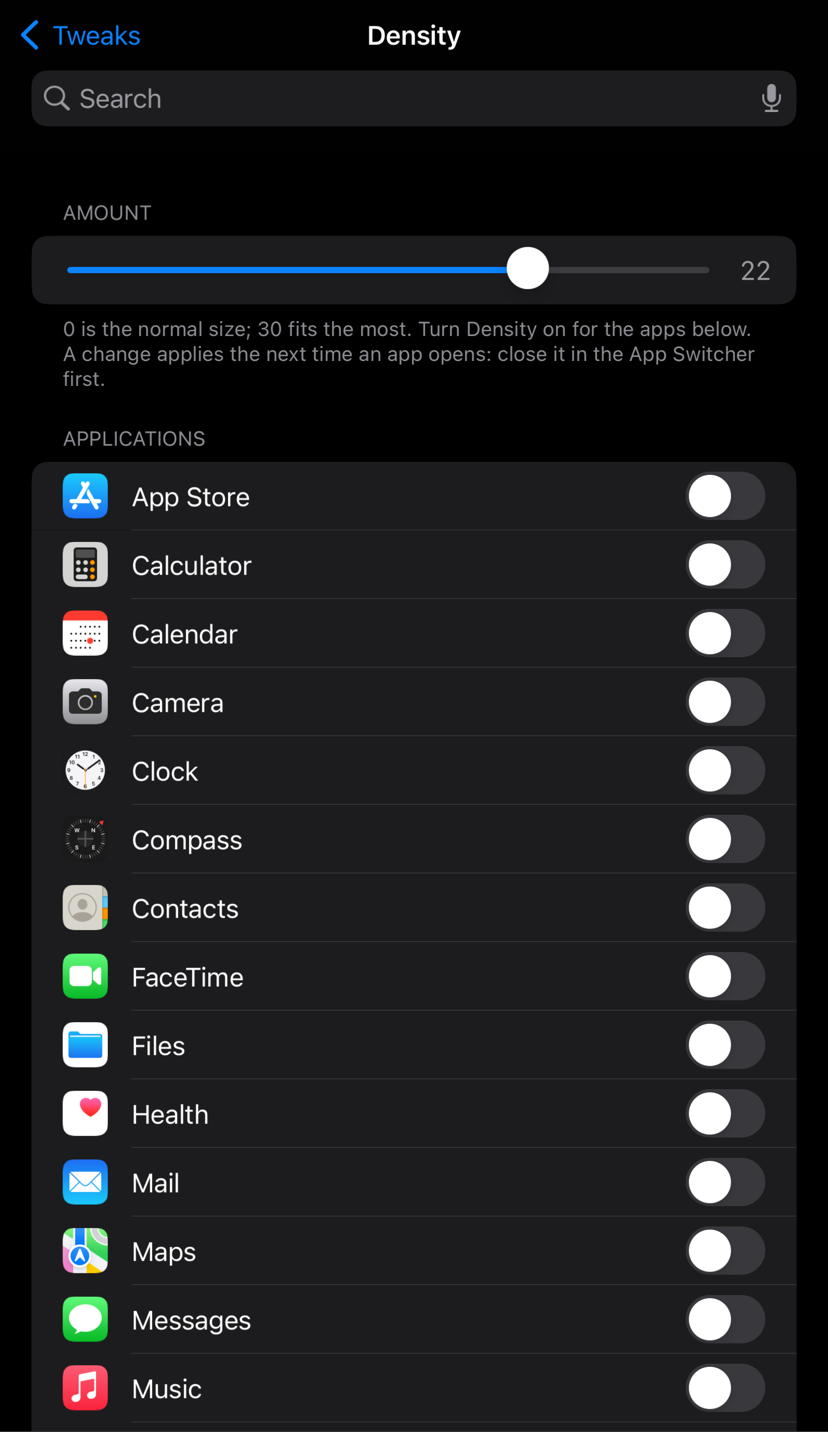
More on screen in the apps you pick, like Android's display density setting. The app lays itself out for a bigger screen, so lists, feeds and pages fit more, while the status bar and keyboard stay exactly as they are.
- Simple: Settings → Density. Set the Amount slider (0 is normal, 30 fits the most), then switch Density on for the apps you want.
- Stock look: the keyboard and status bar are untouched, and text stays sharp.
- Light: apps you don't switch on load nothing extra.
- Changed something? Tap Apply Changes: it closes the apps you changed and resprings.
What's New in beta9
- Telegram: the message box now moves up for the keyboard. Telegram (and other apps that convert the keyboard's position the way Apple recommends since iOS 16.1) got a keyboard about 40 % too short.
- Also in beta8: chat boxes and text bars sit right on top of the keyboard, with or without the predictive bar, at any Amount. Confirmed by a tester on iOS 17.3 in Discord, WhatsApp, Narwhal, WeChat and X.
- Messenger may still hide its box; please report back with your iOS version and Amount.
Device Support
- arm64 and arm64e (A12 and newer) builds, made with Xcode's toolchain and checked for the correct arm64e format.
- Tested on an iPhone 8 Plus (A11) with iOS 16.7 and an iPhone 7 (A10) with iOS 15.8.6, with Dopamine, in Settings, Notes, X, YouTube and Reddit, up to an Amount of 30. Reported working on an iPhone 15 Pro Max (A17 Pro) with iOS 17.3 and an iPhone SE (2nd gen) with iOS 18.2; more reports welcome: report back. If it puts you into safe mode, open Sileo (safe mode still allows it) and uninstall it.
Notes
- Beta. Games aren't tested yet. If an app looks wrong, switch it off.
- Needs AltList and PreferenceLoader (Sileo installs them).
- Only for rootless jailbreaks (Dopamine).
Credits
Written from scratch by John d_ie. Inspired by Android's display density (DPI) setting.