Turns an iPhone without a SIM into an iPod: no Cellular settings, no clutter.
Add the repo, then search Podified.
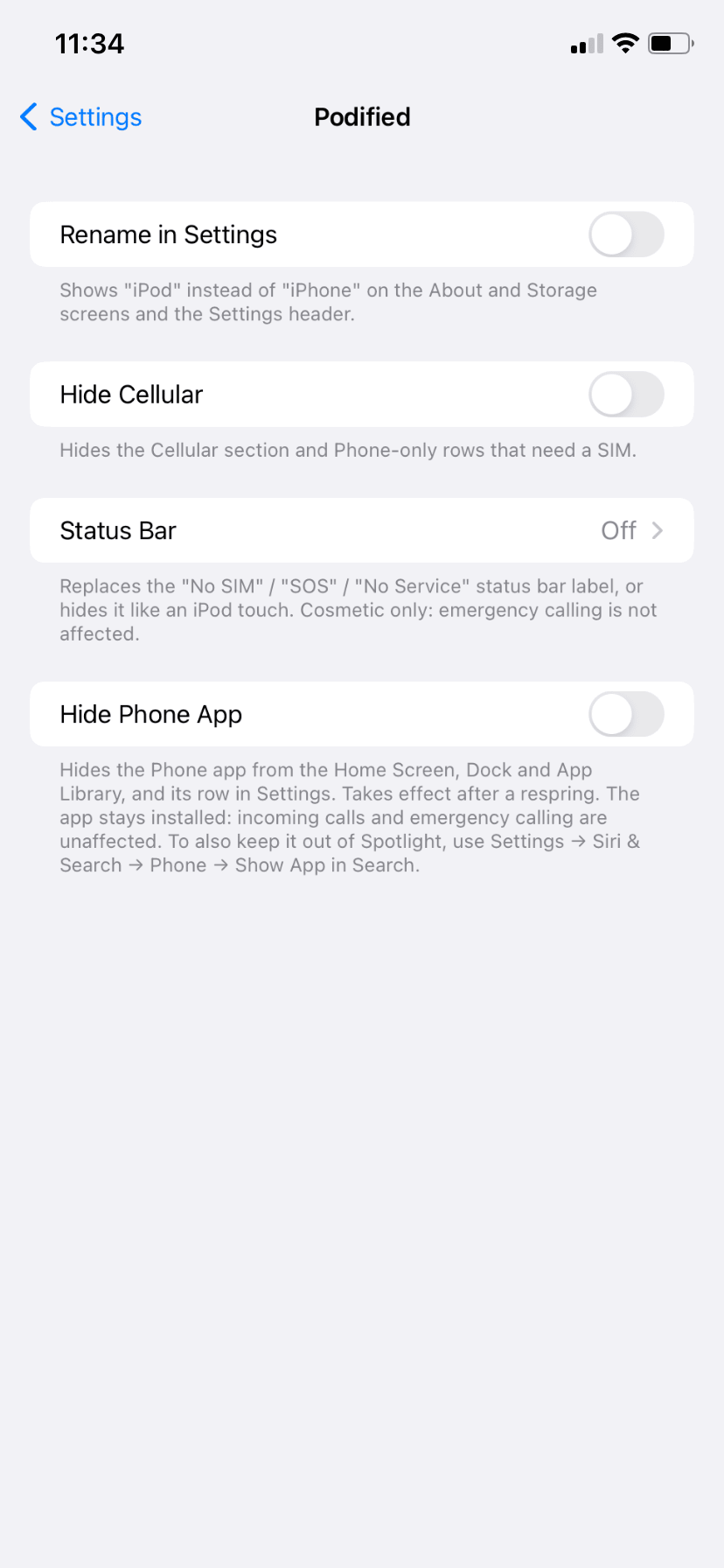
Each change is a switch in Settings → Podified, and they're all off until you turn them on.
- Rename in Settings: "iPhone" becomes "iPod" on About and Storage, and your model stays (iPhone 13 Pro becomes iPod 13 Pro). Your phone's name isn't touched.
- Hide Cellular: removes the Cellular row from Settings.
- Status Bar: shows iPod instead of "No Service" or "SOS only", or nothing at all like an iPod touch.
- Hide Phone App: hides Phone from the Home Screen, the dock and the App Library. The app stays installed.
- Version
- 1.0.1
- Jailbreak
- Rootless
What's New in 1.0.1
- iOS 17 support: iOS 17 has a new status bar; the iPod text (instead of "No SIM" / "SOS only") and hiding the signal now work there too.
- Rename in Settings, Hide Cellular and Hide Phone App were checked on iOS 17 as well.
- Tested on an iPhone SE (2nd gen) with iOS 17.5.1.
Works on
- iOS 15 to 18. Rootless jailbreaks. A RootHide version comes with the next update.
- Tested on an iPhone 8 Plus (iOS 16.7) and an iPhone SE 2nd gen (iOS 17.5.1).
- If it ever sends your phone to Safe Mode, open Sileo (it still works there) and uninstall it. Then tell me.
Good to know
- Looks only. Emergency calls, SOS and the Phone app itself still work.
- With a SIM in, the carrier name is replaced too.
- To keep Phone out of search too: Settings → Siri & Search → Phone → Show App in Search.
Credits
Written from scratch by Jond_ie.